AI product photography: when it works and when it gets you in trouble
AI can put your product on a marble counter in seconds. It can also change your label, invent a texture and get a listing questioned. Here's an honest look at where AI images help, where they hurt, and what Amazon and Etsy actually allow.
Ashish · 7 min read
You've seen the ads: upload one photo, get fifty polished product shots in a minute. It's tempting when you've spent a weekend fighting with a lamp and a sheet of card.
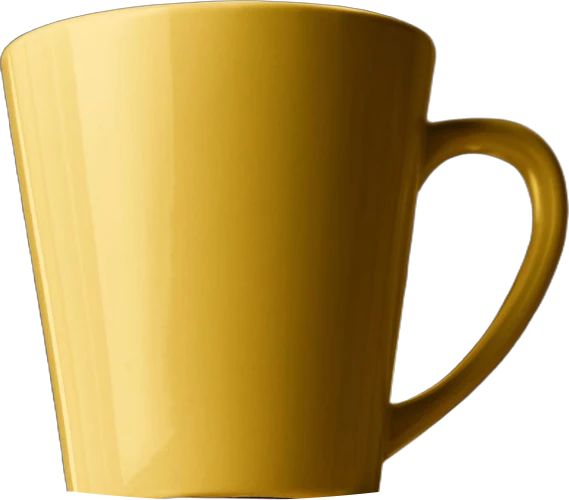
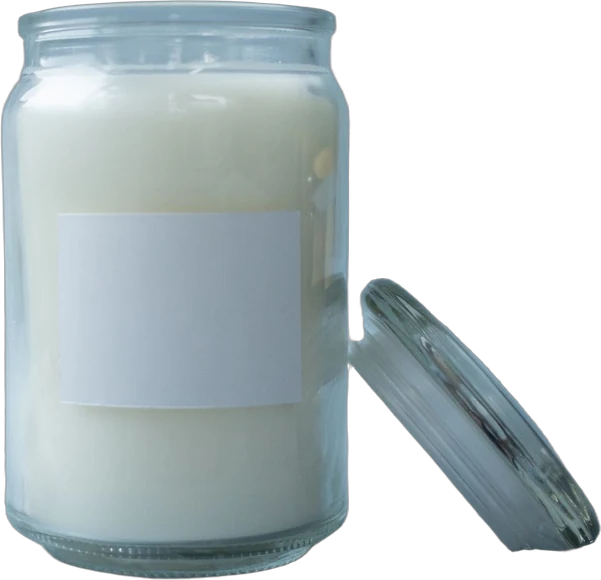
Then you try it. The candle comes back with a slightly different label. The mug's handle has changed shape. The sunlit kitchen looks lovely, but it's the same glossy kitchen every other shop is using, and buyers can tell.
AI image tools are useful for some jobs and risky for others. This guide is an honest look at both, plus what Amazon and Etsy say about AI images in listings.
What we mean by AI product photography
Sellers use the phrase for three different things:
| Type | What it does | Risk level |
|---|---|---|
| AI editing | Fixes light, removes a background, cleans dust off a real photo | Low, if the item still looks the same |
| AI backgrounds | Keeps your real product photo and generates a new scene around it | Medium: lighting and scale can look off |
| Fully generated | Creates the product itself from a prompt or a reference | High: the product often isn't accurate |
Most problems come from the third type. The first two start with a real photo of your real item, which is what both marketplaces care about.
Where AI images work well
- Cleaning up a real photo. Removing a stray crumb, evening out the background or fixing a colour cast. This is ordinary editing, done faster.
- Background swaps for secondary images. Your real product on a different surface, as long as the light and scale look believable.
- Testing ideas before a shoot. Generate a few scenes to decide which setting suits your brand, then shoot the real thing.
- Ad images. Amazon Ads launched an image generation tool for Sponsored Brands in 2023 that places your product in themed scenes at no extra cost, so sellers can test different creatives. That's for ads, not your listing's main image.
Where AI images get you in trouble
- The product changes. Generated images often alter small details: label text, stitching, the number of buttons, the grain of the wood. A buyer who receives something different has a reason to return it or leave a poor review.
- Text comes out wrong. Letters on packaging and labels are often garbled or rewritten.
- Scale is guesswork. A tool doesn't know your vase is 15 cm tall. It may put it next to a sofa as if it were a floor vase.
- Colour drifts. Generated light can shift a sage green to mint or a cream to white.
- It looks like AI. Overly perfect light, plastic-looking surfaces, odd shadows, warped hands and backgrounds that don't quite make sense. Many shoppers now notice this and trust the listing less.
- Every shop looks the same. If everyone uses the same tools and styles, your photos stop standing out.
What Amazon says
Amazon's product image requirements say images must accurately represent the product you're selling, and the main image should be a realistic, professional-quality image that shows the real scale, quantity and colour.
There's also a specific rule for AI-generated people. If an image includes photorealistic people who were entirely generated by AI, you must tag the image file before uploading it. Amazon's steps: use an IPTC-compatible editor to add the keyword contains-synthetic-performer to the image file's dc:subject (XMP) field. Amazon then adds a disclosure where applicable.
You don't need the tag if the image only shows real people (even if edited with AI tools), characters from films or games, no people at all, or people who aren't photorealistic.
What Etsy says
Etsy's image requirements cover AI editing directly:
- All images must accurately show the item's colour, condition, scale and materials.
- Each listing needs at least one unedited photo of the actual item against a real background, with some exceptions depending on what you sell.
- Other photos can be edited, including with AI, to adjust light or colour, crop, or change the background.
- Editing can't hide flaws or make the item look different from what the buyer receives.
- If you sell patterns, recipes or instructions, show a real result made from them, not an AI-generated one.
Etsy's best practice is to keep the first photo the clearest, most realistic image of the item and to mention in your description if you used AI to edit any photos. Separately, Etsy's rules on what you can sell say items created with AI must be disclosed in the listing description. For first photo size and shape, see our guide to Etsy photos.
A sensible way to use AI
- 1Take a real photo first. A phone, a window and a sheet of white card go a long way. Our guide to white background photos at home shows the setup.
- 2Keep the main image real. On Amazon, follow the main image requirements. On Etsy, make the first photo your clearest, most realistic one.
- 3Use AI for edits and backgrounds, not the product. Your real item should stay pixel-for-pixel your real item.
- 4Check every AI image against the product in your hand. Label, colour, shape, size, finish.
- 5Mix in real context. A real lifestyle photo, even a simple one, beats ten generated scenes.
- 6Disclose where required. Tag AI-generated people for Amazon. Mention AI edits and AI-made items in Etsy descriptions.
A worked example
This is a made-up example. "Marrow & Moss" isn't a real brand.
Marrow & Moss sells hand-poured soy candles. They tried a fully generated set of images and kept a list of what went wrong:
| Image | What happened | What they did instead |
|---|---|---|
| Main image | The jar's lid came back gold, not brushed steel | Real photo on white card |
| Bathroom scene | The candle looked twice its size next to the tub | Real photo on their own bath shelf |
| Label close-up | The scent name was misspelled | Real close-up, no AI |
| Cosy living room | Looked fine, but very similar to other shops | Kept as an AI background behind a real cut-out, noted in the description |
They ended with six real photos and one AI background swap, disclosed in the description.
Where YelloShelf fits
To be upfront: YelloShelf is one of these tools. It makes AI listing images and social posts from your own product photos, with your real product checked for shape, colour, logo and details in every image, and it drafts titles, descriptions and tags. We built it around the problems above, but the advice in this guide still applies to our images too: keep a real photo in every listing, check each image against the item in your hand, and disclose where the marketplace asks you to. It doesn't have a free plan or trial. You buy a credit pack, starting at $10, and your first purchase comes with a money-back guarantee. We're helping you remove the manual, tedious, time-consuming work. You still read it, edit it and paste it in yourself.
Quick checklist
- Main image is a real photo of the real item.
- AI used only for edits or backgrounds, not to recreate the product.
- Every AI image checked against the item: label, colour, size, finish.
- No garbled text, warped shapes or impossible shadows.
- At least one unedited photo on Etsy.
- AI-generated people tagged in the image file for Amazon.
- AI edits and AI-made items mentioned in Etsy descriptions.
FAQ
Can I use AI product photos on Amazon?
Amazon's rules say images must accurately represent the product, and the main image must be realistic and show the real scale, quantity and colour. If an image includes photorealistic AI-generated people, you must tag the image file with `contains-synthetic-performer` before uploading.
Does Etsy allow AI-edited photos?
Yes, for light, colour, cropping and backgrounds, as long as the item still looks like what the buyer receives. Each listing needs at least one unedited photo of the actual item against a real background, and Etsy suggests mentioning AI edits in your description.
Will buyers notice AI images?
Often, yes. Overly perfect light, plastic-looking surfaces, garbled text and odd shadows are common giveaways. Real photos, even simple ones, usually feel more trustworthy.
Are AI images good for ads?
They can be. Amazon Ads offers an image generation tool for Sponsored Brands that places your product in themed scenes at no extra cost. Keep your listing's main image real.
What's the safest way to start with AI?
Take a real photo, then use AI to clean it up or swap the background on a secondary image. Check the result against the product in your hand before you upload it.
Made by the team behind YelloShelf
Rather not redo all of this for every product?
Upload your product photos and YelloShelf writes the title, description, bullet points, tags and a suggested price for each platform you sell on, from real market research. You check it, edit it and paste it in.
Try YelloShelf