How to find keywords and tags for your Etsy listing
Etsy now shows sellers real search numbers, for free, if you know where to look. Here's how to use Marketplace Insights, your shop Stats and the search bar to find keywords and turn them into 13 tags.
Ashish · 7 min read
For years, Etsy keyword research meant guessing. You typed things into the search bar, looked at what the top shops wrote in their titles and hoped. Third-party tools filled the gap, at a monthly price that's hard to justify when you've got twenty listings.
That's changed. Etsy now shows sellers real search numbers inside Shop Manager, and your shop's own Stats already tell you which searches bring buyers to you. This guide covers each free method, in the order we'd use them, then turns the results into a title and 13 tags for one listing.
If you want the rules for writing Etsy titles and tags themselves, start with our Etsy titles and tags guide. This post is about finding the words to put in them.
Keywords vs tags: what's the difference?
People use the two words loosely, so it's worth being clear:
- A keyword is any word or phrase a buyer types into Etsy search. "Leather crossbody bag" is a keyword.
- A tag is one of the 13 slots on your listing where you enter phrases, each up to 20 characters (Etsy help: tags).
Keyword research is finding the phrases buyers use. Tags are one of the places you put them. The others are your title, your attributes (colour, material and so on, which Etsy treats a lot like tags) and your category. Your main phrase usually belongs in both the title and a tag. Beyond that, Etsy asks for "a diverse array of tags", so spend most of the 13 slots on phrases the title doesn't already cover.
1. The Etsy search bar
The free method everyone has. The suggestions that drop down as you type come from what shoppers search.
To get more out of it than one look:
- 1Type your main phrase and note each suggestion. "leather crossbody" might suggest "leather crossbody bag women" or "leather crossbody phone bag".
- 2Add a letter after the phrase, working through the alphabet. "leather crossbody b", "leather crossbody c". Different letters bring up different suggestions.
- 3Try different first words. Buyers search "personalized leather bag", "small leather bag" and "brown leather purse" for similar items.
- 4Try regional words. "Purse" and "handbag" mean different things in different countries. Etsy encourages synonyms and regional terms, and tags are a good place for them.
The search bar tells you what people type. It doesn't tell you how many people. That's what the next tool is for.
2. Marketplace Insights (free, with a weekly limit)
Marketplace Insights is Etsy's own keyword tool. You'll find it in Shop Manager under Stats, then Marketplace Insights, on a computer or a mobile browser (Etsy help: Marketplace Insights).
Search for a phrase and it shows:
- Searches: how many times shoppers searched that phrase on Etsy in the last 30 days.
- Listings: how many active listings showed up for it.
- Related terms, including ones Etsy marks as high interest with fewer listings. These are the phrases worth looking at first.
- Trends over the last 30 days, so you can spot a phrase that's growing.
The catch is the limit. Shops get 15 keyword searches a week for free, and your results stay available for 7 days. Etsy Plus subscribers get unlimited searches. Fifteen is plenty if you plan them:
- Spend searches on the main phrase for each product, not on variations you'll find in the related terms anyway.
- Use the related terms list for the variations. One search returns many phrases.
- Write the numbers down. A spreadsheet with phrase, searches and listings lets you compare without searching again next week.
Two things to keep in mind. Marketplace Insights doesn't change your listings for you. And Etsy notes that some phrases it shows might not be allowed on Etsy, so the usual seller rules still apply. A popular search that includes a brand name you don't own isn't a phrase you can use.
3. Your shop Stats: the searches that already work
Your Stats show the searches buyers used to find your listings. In Shop Manager, go to Stats, scroll to How shoppers found you and choose Etsy search (Etsy help: Stats).
This is the most useful list for an existing shop, for two reasons:
- The phrases that already bring you visits belong in your title and tags. If buyers find your wallet by searching "slim card holder", make sure that phrase is in the listing.
- Surprises are new ideas. If a search you never targeted keeps showing up, it might deserve its own listing, or a better place in the title.
4. Etsy Ads search terms (only if you already run ads)
Etsy Ads aren't free, and we wouldn't start a campaign just for research. But if you already run ads, each advertised listing shows the search terms that triggered your ad over the last 30 days (Etsy help: Etsy Ads). Etsy notes that this may not show for listings with limited ad traffic.
It's a good place to find phrases that get views but no clicks. Those are usually a sign the photo or title doesn't match what the buyer expected.
5. Look at what's already ranking
Search your main phrases and open the top results. You can't see other shops' tags, but you can see their titles, attributes and the words they lead with. If most of the top crossbody bags mention "adjustable strap", buyers probably care.
A worked example: from research to 13 tags
This is a made-up shop and product to show the process. "Marrowby Leather" isn't a real shop, and any numbers here are illustrative, not real Etsy data.
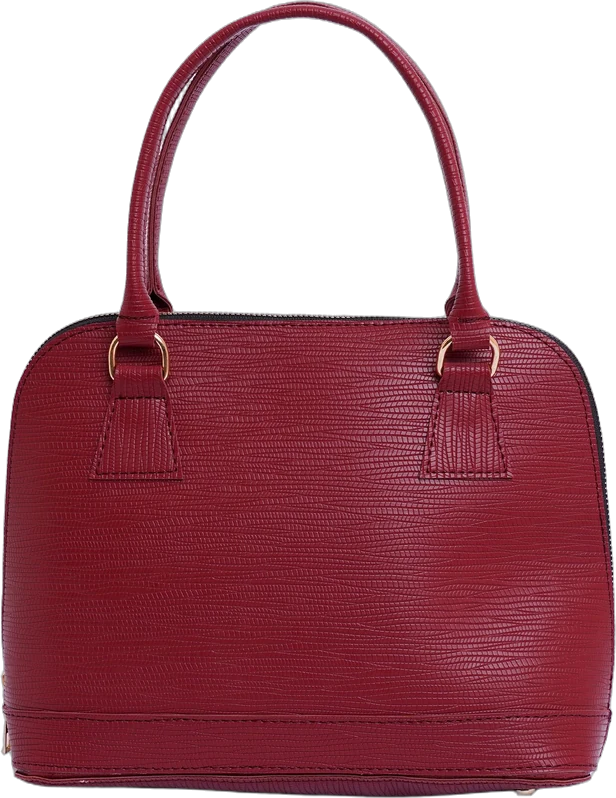
The product is a small, handmade, vegetable-tanned leather crossbody bag in tan, with an adjustable strap and initials stamped on request.
After the search bar, a few Marketplace Insights searches and the shop's Stats, the list of phrases looked like this, narrowed down to the ones that fit the bag:
- From the search bar: "leather crossbody bag", "small crossbody bag", "leather phone bag", "personalized purse"
- From Marketplace Insights related terms: "tan leather purse", "minimalist crossbody", "gift for her leather"
- From Stats: "monogram leather bag", "handmade leather bag"
Title:
Small Leather Crossbody Bag, Personalized Tan Purse with Adjustable Strap, Handmade Gift for Her
13 tags (all 20 characters or fewer):
| Tag | Characters |
|---|---|
| leather crossbody | 17 |
| small crossbody bag | 19 |
| leather phone bag | 17 |
| personalized purse | 18 |
| tan leather purse | 17 |
| minimalist crossbody | 20 |
| monogram leather bag | 20 |
| handmade leather bag | 20 |
| initial bag | 11 |
| leather gift for her | 20 |
| festival bag | 12 |
| travel crossbody | 16 |
| custom leather purse | 20 |
Material and colour are also set as attributes, so tags like "leather" or "tan" on their own would be wasted. A few tags overlap with the title on purpose, because those are the main phrases. The rest cover searches the title doesn't, like "festival bag" and "travel crossbody". Etsy's own tag guide calls out phrases like "gift for her" as exactly what tags are good for.
Keep it up to date
Search habits move with the seasons, especially on Etsy. Gift searches climb from October, festival and travel searches in spring. Every couple of months, check your Stats for new phrases and spend a few Marketplace Insights searches on your best sellers.
If you also sell on Amazon, the free methods there are different. Our guide to finding Amazon keywords covers them.
If you'd rather not do this for every listing
The methods above are free and they work. The cost is your time, and the 15 searches a week run out quickly when you've got a full shop to update.
YelloShelf is a paid tool that does this part for you. It doesn't have a free plan or trial. You buy a credit pack, starting at $10, and your first purchase comes with a money-back guarantee. You upload your product photos, and it checks what's already selling on Etsy and what people search for, then writes the title and all 13 tags, each within the 20-character limit, along with the description. We're helping you remove the manual, tedious, time-consuming work. You still read it, edit it and paste it in yourself.
Quick checklist
- Search bar suggestions noted, with different first words and regional terms.
- Marketplace Insights searches spent on each product's main phrase.
- Shop Stats checked under "How shoppers found you", then Etsy search.
- All 13 tags used, each 20 characters or fewer and none copying an attribute.
- Title and tags revisited before your busiest season.
FAQ
How do I find keywords for my Etsy listing for free?
Start with Etsy's search bar suggestions, then use Marketplace Insights in Shop Manager, which shows how often phrases are searched and is free for up to 15 searches a week. Your shop Stats also show the searches buyers already use to find your listings.
What's the difference between Etsy keywords and tags?
A keyword is any phrase a buyer types into Etsy search. A tag is one of the 13 slots on your listing, each up to 20 characters, where you enter phrases. Keyword research tells you which phrases to put in your title, tags and attributes.
Can I see other sellers' tags on Etsy?
Not directly. Etsy doesn't show other shops' tags on their listings, so look at the titles and attributes of top-ranking listings instead, and use Marketplace Insights for search numbers.
How many searches do you get in Etsy Marketplace Insights?
Shops get 15 keyword searches a week, and results stay available for 7 days. Etsy Plus subscribers get unlimited searches.
Should my Etsy tags repeat my title?
A little overlap is normal, since your main phrase usually belongs in both. But Etsy asks for a diverse array of tags, so don't spend all 13 copying the title. Use most of them for other phrases buyers use, like synonyms, regional words, gifts and specific uses.
Made by the team behind YelloShelf
Rather not redo all of this for every product?
Upload your product photos and YelloShelf writes the title, description, bullet points, tags and a suggested price for each platform you sell on, from real market research. You check it, edit it and paste it in.
Try YelloShelf