Amazon listing images requirements: size, main image and file rules
Every rule for Amazon listing images in one place, from Amazon's own image guide: size in pixels, file types and names, the main image rules, what applies to every image, and how to fix a suppressed image.
Ashish · 8 min read
A listing with no compliant main image can be removed from Amazon search until you fix it. That's the biggest reason to get your images right, but not the only one. Images are what shoppers compare first, and Amazon's product image guide says good ones improve discoverability, build confidence and reduce returns.
This guide puts all of Amazon's listing images requirements in one place: image size, files, the main image rules, the rules for every image, and what to do when an image is suppressed. Amazon calls them its product image requirements, and everything here comes from Amazon's own Seller Central help pages.
Amazon listing images requirements at a glance
| Requirement | What Amazon says |
|---|---|
| Main image | At least one, compliant, on pure white |
| Recommended set | At least six additional images and one video |
| Size | 500 to 10,000 pixels on the longest side |
| Zoom | Turns on at 1,000 pixels or more |
| Resolution | At least 72 dpi |
| File types | JPEG (recommended), TIFF, PNG, non-animated GIF |
| Colour mode | RGB preferred |
| Product in frame | 85% of the main image |
| Display time | Up to 24 hours |
Amazon listing images size
The rule is about the longest side. It must be at least 500 pixels, or the image can't be uploaded, and no more than 10,000 pixels. Amazon recommends 1,000 pixels or more, because that's the point at which zoom turns on.
Amazon also says not to artificially enlarge small images. An upscaled photo is soft, and a blurred or pixelated image is one of the reasons Amazon gives for suppressing images. If your photo is small, take a new one rather than stretching it.
Amazon's guide doesn't require a particular shape. Square images are a common choice because they display evenly, and many sellers work at 2,000 by 2,000 pixels to leave room for zoom.
Sizing images for every marketplace is slow work. YelloShelf makes listing images sized for Amazon from your product photo, along with your title, bullet points and description. See how it works.
File types, colour and names
From the image guide and Amazon's technical image file page:
- Formats: JPEG, TIFF, PNG or non-animated GIF. JPEG is recommended. EPS, BMP, PDF and PSD files aren't accepted.
- Compression: save JPEGs at the highest quality, with as little compression as possible.
- Colour: RGB is preferred. CMYK isn't, and grayscale is only for products that are themselves gray or silver metal.
- File names for bulk uploads: product identifier, variant code and extension, separated by full stops. Amazon's example is
B000123456.MAIN.jpg. Spaces, dashes or other extra characters stop the file from uploading.
The variant codes
Each image slot has a code. The ones most sellers use:
| Code | What it's for |
|---|---|
| MAIN | The main image, shown in search and first on the product page |
| PT01 to PT99 | Additional angles, the product in use, accessories or details |
| SWCH | The swatch thumbnail for a colour or style |
| TOPP, BOTT, LEFT, RGHT, FRNT, BACK, SIDE | Specific angles |
| PS01 to PS06 | Safety and compliance information |
| DTLS | Multipacks or large quantities |
When you upload in Image manager, Amazon suggests image types for your product based on your category style guide.
Main image requirements
Your main image is what shoppers see in search. Amazon's rules for it:
- Realistic and professional, showing the real scale, quantity and colour of the product.
- The product fills 85% of the image.
- The whole product is in the frame, with nothing cut off.
- The product appears once. Front only, not the front and back in one image.
- One unit, plus any accessories that come with it.
- Pure white background, RGB 255, 255, 255.
- No packaging, unless it's an important feature, like a carrying case.
- No props that aren't included and could confuse a buyer.
- No mannequins, of any kind.
- No placeholders, since the first image uploaded defines the product.
Some categories have their own rules. Shoes are shown as a single shoe facing left at a 45-degree angle. Adult clothing is shown on a standing model. Clothing accessories and multipacks are shown flat, without a model.
Only a few product types can use a lifestyle photo as the main image: beds, bed frames, mattresses, rugs, rug pads and sofas. Even then, the image can't have text or extra logos.
For how to get a clean white background without a studio, see our guide to white background product photos at home.
Rules for every listing image
These apply to the main image and all the others:
- Accurately show the product you're selling, and match its title.
- No customer reviews or star imagery.
- No claims like free shipping, and no seller-specific information.
- No text or pricing on swatch images.
- No Amazon logos or trademarks, or anything that looks like them, including "Amazon", "Prime" and "Alexa".
- No Amazon badges or look-alikes, such as "Amazon's Choice" or "Best seller".
- No nudity or sexually suggestive images.
These rules are the same whether an image comes from your camera, a designer or YelloShelf, so check each one before you upload.
Additional images are where text and graphics can go. Our guide to Amazon infographic images covers what to put in those slots.
Images with AI-generated people
If an image includes photorealistic people that were entirely made with AI, Amazon says you must tag the image file with the keyword "contains-synthetic-performer" before uploading. Amazon then adds a disclosure where it applies. This isn't needed for real people edited with AI tools, for images with no people, or for people who aren't photorealistic.
Listing images for Amazon: a worked example
This is a made-up product to show a full image set. "Hollowfern" isn't a real brand.
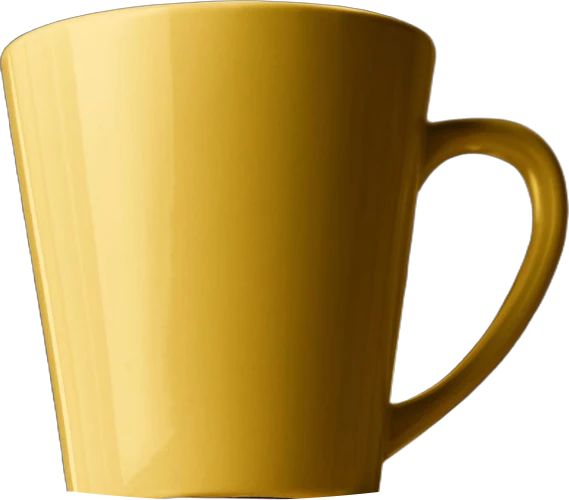
A ceramic mug, sold as a pair. The plan, using Amazon's recommended six additional images:
| File | Shows |
|---|---|
| B000123456.MAIN.jpg | One mug, handle to the right, on pure white, filling most of the frame |
| B000123456.PT01.jpg | Both mugs together, to show the pair |
| B000123456.PT02.jpg | The mug in use, on a desk with a coffee |
| B000123456.PT03.jpg | Size, with a measurement line and a hand for scale |
| B000123456.PT04.jpg | Close-up of the speckled glaze |
| B000123456.PT05.jpg | The handle from the side |
| B000123456.PT06.jpg | What's in the box: two mugs and the gift box |
Notice the main image shows one unit, not the pair. The pair goes in PT01, since Amazon asks for one unit on the main image. If YelloShelf makes your base images, you'd still plan the slots this way and add any callouts yourself.
Image suppression: causes and fixes
Amazon's image suppression page lists the common reasons. For the main image:
- Text, a logo, graphics or a watermark.
- A background that isn't pure white.
- A missing or incorrect image.
- Additional items that aren't allowed for the product type.
- A cropped product.
- The product in its packaging, or with brand or swing tags.
- Props inside, covering or surrounding the product.
For any image:
- Blur or pixelation.
- The product too small in the frame.
How to check: go to the Fix tab in Manage Products to see products removed from search because of image issues. For files that failed checks, go to Submission status and choose the Content compliance issues report.
How to fix: Amazon recommends replacing a non-compliant main image rather than deleting it. Upload a new image with the MAIN variant code and allow up to 24 hours for the change to appear.
If the images are fine but the product still isn't appearing, our guide to why your Amazon product isn't showing up covers the other causes.
Why your image might not be the one shown
Uploading an image doesn't guarantee it will be displayed. Amazon says it selects and arranges images from several sellers so each product has enough good images, and it may modify images to meet its requirements. The best way to have yours chosen is to follow every rule above. A YelloShelf image is sized for Amazon, but you should still check it against the main image list before you upload.
Quick checklist
- Main image on pure white, product filling 85% of the frame, nothing cut off.
- One unit, no packaging, props or mannequins.
- At least 1,000 pixels on the longest side, never upscaled.
- JPEG at high quality, in RGB.
- Files named identifier, variant code, extension.
- Six additional images and a video, if you can.
- No reviews, badges, Amazon logos or shipping claims on any image.
Make Amazon listing images with YelloShelf
YelloShelf makes listing images sized for Amazon and the other marketplaces it supports, from the product photos you already have. It also writes your Amazon title, bullet points and description, with a suggested price, based on what's already selling. You check everything and upload it yourself, since it doesn't publish anywhere.
It can make social posts for the same product too, with captions and hashtags for Instagram, TikTok, Pinterest, Facebook and X.
No subscription or free trial. Pay as you go credit packs from $10, with a 7-day money-back guarantee on your first purchase.
Made by the team behind YelloShelf
Make Amazon listing images from your product photos
Upload a product photo and get listing images sized for Amazon, plus a title, bullet points, a description and a suggested price, based on what's already selling.
- Pay as you go credit packs from $10
- No subscription
- 7-day money-back guarantee on your first purchase
FAQ
What size should Amazon listing images be?
At least 500 pixels and no more than 10,000 pixels on the longest side. Amazon recommends 1,000 pixels or more, because that turns on zoom. Images also need at least 72 dpi, and Amazon asks you not to artificially enlarge small images.
What background does the Amazon main image need?
Pure white, RGB 255, 255, 255. A main image with any other background can be suppressed. Only a few product types, such as beds, mattresses, rugs and sofas, can use a lifestyle main image, and even then without text or extra logos.
How much of the main image should the product fill?
Amazon's image guide says to show the product as 85% of the image, with the entire product in the frame. A product that's too small in the frame is one of the reasons Amazon gives for suppressing images.
What file types does Amazon accept for product images?
JPEG, TIFF, PNG and non-animated GIF. Amazon recommends JPEG and prefers the RGB colour mode. Name bulk files with the product identifier, the variant code and the extension, such as B000123456.MAIN.jpg.
How long does a new Amazon image take to show?
Amazon says an image selected for display can take up to 24 hours to appear on the product page. Uploading an image doesn't guarantee it will be shown, because Amazon selects and arranges images from several sellers for each product.