How to write a Shopify product description (and SEO title) that ranks
On Shopify, nobody finds your product through a marketplace search bar. They find it through Google. Here's how to write the description, page title, meta description and URL so that works.
Ashish · 8 min read
On Amazon or Etsy, buyers search inside the marketplace. On your own Shopify store, there is no marketplace. For a lot of stores, the visitors who don't come from ads or social media arrive from search engines like Google, and Google decides what to show based largely on what's on your product page.
That's why a supplier's copy-pasted description and a product page titled "Product 3" don't get found. This guide covers the five places on a Shopify product page that matter for search, using Shopify's own guidance and limits, then puts them together for one product.
The five places that matter
Shopify's help lists four main places to add keywords: page titles, meta descriptions, image alt text and the page's body content (Shopify help: adding keywords). Add the URL and you have the full list for a product:
| Field | Where buyers see it | Where to edit it |
|---|---|---|
| Product title | Top of the product page | Product title field |
| Description | On the product page | Description editor |
| Page title | The blue link in Google results | Search engine listing section |
| Meta description | The text under the link in Google | Search engine listing section |
| URL handle | The web address | Search engine listing section |
Image alt text is the sixth, smaller one. More on it below.
Step 1: pick one main phrase per product
Shopify's advice is to find the words your customers would use, prioritise ones that are specific to your products and searched often, and use them in readable, natural phrases. It also warns that search engines might ignore pages that use keywords in a random way.
Free ways to find that phrase:
- Google's search suggestions. Type the product type and note what Google suggests. "fig candle" might suggest "fig candle soy" or "fig and black tea candle".
- Google Search Console. Once your store has some traffic, it shows the actual searches people used to reach your pages. It's free and you connect it with your domain.
- What your customers call it. Look at messages and reviews. If customers say "wax melts" and you say "scented tarts", use their word.
Pick one main phrase, such as "fig soy candle", and a few related ones like "black tea candle" or "8 oz candle". You'll use the main phrase in every field below, once each, in a way that reads naturally.
Step 2: write a clear product title
The product title shows at the top of your product page. Unlike marketplaces, you don't need to fit every keyword in it. Make it say what the product is:
Fig and Black Tea Soy Candle, 8 oz
Shopify also uses the product title as the default page title in Google if you leave the search engine listing blank, which is another reason to make it clear.
Step 3: write the description for a person first
Shopify's product page help says to describe your products in detail, and, if you're a reseller, not to use a manufacturer's exact description, because you want your products to be unique to search engines (Shopify help: product details). If 200 stores use the same supplier text, Google has no reason to show yours.
A structure that works for most products:
- 1One opening sentence that says what it is, who it's for and why it's good. Use the main phrase here, naturally.
- 2A short list of the facts buyers check: size, materials, how long it lasts, what's included.
- 3A paragraph about how it's used or what makes it different.
- 4Practical details: care, sizing, shipping times, returns. These answer the questions that stop a sale.
Use plain words and short paragraphs. Most shoppers read on a phone, so a wall of text gets skipped. For more on the writing itself, see our guide to writing product descriptions.
Step 4: write the page title (SEO title)
The page title is the clickable link in search results. Shopify lets you enter up to 70 characters, and recommends 60 or fewer to avoid it being shortened. It also suggests a unique, descriptive title with your most important keywords near the beginning (Shopify help: adding keywords).
To edit it, open the product in your Shopify admin, find the Search engine listing section and click edit.
A simple pattern: main phrase, a key detail, then your store name if there's room.
Fig and Black Tea Soy Candle, 8 oz | Harrowgate
That's 47 characters. Keep in mind that Google sometimes rewrites page titles in its results, so a clear, accurate title is more useful than a clever one.
Step 5: write the meta description
The meta description is the short text under the title in search results. Shopify recommends about 160 characters, with relevant keywords in natural sentences rather than lists. Make it unique for each product.
Think of it as a reason to click:
Hand-poured soy candle with fig, black tea and a hint of cedar. 8 oz amber jar, about 45 hours of burn time. Ships in 2 days.
Google doesn't always use your meta description. It sometimes shows a different snippet from the page that better matches the search. A good one still gives you the best chance of a clear result, and it costs nothing to write.
Step 6: tidy the URL handle
Shopify builds the URL from the product title when you first save it, so it can end up as something like /products/new-candle-final-2. In the Search engine listing section you can change the URL handle to something short and readable:
/products/fig-black-tea-soy-candle
If the product is already live, Shopify gives you the option to create a redirect from the old URL when you change the handle. Keep it ticked, so links you've already shared still work.
Step 7: add image alt text
Alt text describes an image for people using screen readers, and it helps search engines understand the image. Shopify's SEO overview gives "Men's waterproof hiking boots" as an example: short and specific (Shopify help: SEO overview). Describe what's in the photo:
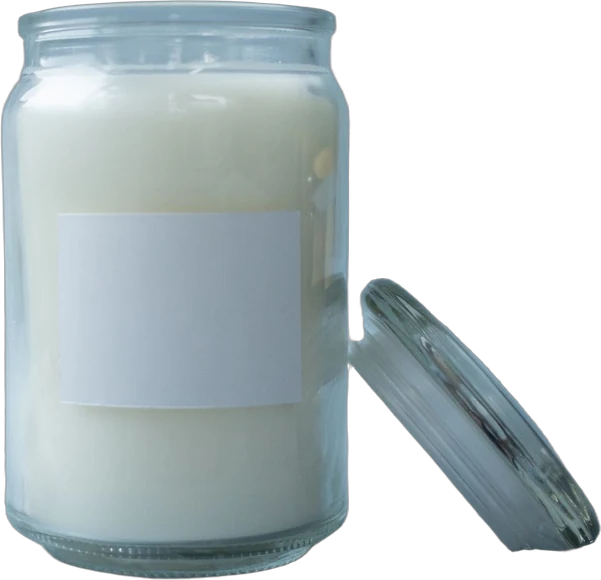
Fig and black tea soy candle in an amber glass jar with a wooden lid
Don't stuff the same phrase into every image. Describe each one as it is.
A worked example
This is a made-up store and product to show the process. "Harrowgate Candle Co." isn't a real brand.
Before:
- Product title: Candle 8oz
- Description: "Our premium candles are made with love. Perfect for any occasion! Buy now."
- Page title: (blank, so Shopify used "Candle 8oz")
- Meta description: (blank)
- URL: /products/candle-8oz-1
After:
- Product title: Fig and Black Tea Soy Candle, 8 oz
- Page title: Fig and Black Tea Soy Candle, 8 oz | Harrowgate (47 characters)
- Meta description: the 125-character example from step 5
- URL: /products/fig-black-tea-soy-candle
- Description:
A hand-poured soy candle that smells like fresh figs and strong black tea, with a little cedar underneath. Made for anyone who wants their home to smell warm without smelling sweet.
- 8 oz soy wax in an amber glass jar with a wooden lid
- About 45 hours of burn time
- Cotton wick, phthalate-free fragrance oil
- Made in small batches in our studio
Trim the wick to about 5 mm before each burn, and let the top melt to the edges the first time you light it, so it burns evenly to the end.
Ships within 2 business days. Unused candles can be returned within 30 days.
Nothing here is a trick. Each field just says clearly what the product is, using the words a buyer would type.
Collection pages work the same way
Collection pages, like "Soy candles" or "Gift sets", often rank for broader searches than a single product does. They have the same search engine listing section, so give each one a clear page title, a unique meta description and a short paragraph at the top that says what's in the collection.
Selling on WooCommerce or a marketplace too?
If you also run a WordPress store, the same ideas apply with different field names. Our guide to WooCommerce product pages covers them. And marketplace listings follow different rules again, so don't paste your Shopify description straight into Amazon or Etsy without checking their limits first.
If writing every product page is the part you're stuck on
Everything above you can do yourself, and for a store with ten products it's an afternoon. With a few hundred products, it's weeks.
YelloShelf is a paid tool that drafts this part. It doesn't have a free plan or trial. You buy a credit pack, starting at $10, and your first purchase comes with a money-back guarantee. You upload your product photos, and it writes a product title, a description and SEO fields based on the product and what buyers search for. We're helping you remove the manual, tedious, time-consuming work. You still read it, edit it and paste it in yourself.
Quick checklist
- One main phrase chosen per product, using the words customers use.
- Product title says clearly what the product is.
- Description is your own words, not the supplier's, and easy to scan on a phone.
- Page title 60 characters or fewer, main phrase near the start.
- Meta description unique, around 160 characters or fewer, with a reason to click.
- URL handle short and readable, with a redirect if you changed a live one.
- Alt text describes each image.
FAQ
How long should a Shopify product description be?
There's no set length. Long enough to answer what a buyer needs to know: what it is, the key facts, how it's used and the practical details like care and shipping. For most products that's a short opening, a few bullet points and a couple of short paragraphs.
What is the character limit for a Shopify SEO title?
Shopify lets you enter up to 70 characters in the page title and recommends 60 or fewer, because most search engines shorten longer titles.
How long should a Shopify meta description be?
Shopify recommends about 160 characters. Put the most important information first, since search engines may shorten it or show a different snippet from the page.
Can I use the manufacturer's description on Shopify?
You can, but Shopify advises resellers not to use a manufacturer's exact description, because you want your product pages to be unique to search engines. Rewrite it in your own words and add details only you know.
Where do I edit the SEO title and meta description in Shopify?
Open the product in your Shopify admin and scroll to the Search engine listing section. Click edit to change the page title, meta description and URL handle. If you leave them blank, Shopify uses the product title and description.
Made by the team behind YelloShelf
Rather not redo all of this for every product?
Upload your product photos and YelloShelf writes the title, description, bullet points, tags and a suggested price for each platform you sell on, from real market research. You check it, edit it and paste it in.
Try YelloShelf