TikTok Shop listing optimization: titles, images and quality tiers
How TikTok Shop grades listings as Poor, Fair or Good, and how to move a listing up: the title, images, category, brand and attributes, using TikTok's own Seller University guides.
Ashish · 6 min read
Most sellers come to TikTok Shop for the videos and treat the product listing as a form to get through. Then the listing sits at Fair quality or doesn't show up for the searches you expected, and it's not obvious why.
The listing matters more than it looks. When a video sends someone to your product, the product page is what they buy from. This guide covers TikTok Shop listing optimization using TikTok's US Seller University pages, so check the version for your own country if you sell elsewhere.
How TikTok Shop grades listings
TikTok Shop puts each product listing into one of three quality tiers (TikTok Shop: product detail pages and listing quality):
- Poor: the listing needs significant improvement. It may have incomplete or inaccurate information, low-resolution images, clickbait or promotional content.
- Fair: the listing meets the essential standards, with the necessary information and clear images, but has room to improve.
- Good: detailed descriptions with category-specific information, high-resolution images and accurate category-specific attributes.
You can see each listing's tier in Seller Center under Products, then Manage Products. TikTok's Product Optimizer, under Products, suggests fixes for titles, descriptions, images, missing attributes and sizing for Poor and Fair listings (TikTok Shop: upgrading your listing quality). Start there, then use the rules below to check its suggestions.
Step 1: Fix the product title
TikTok's guide to adding products says titles should be 25 to 200 characters and accurately describe the product. Include the brand, what it's for, the product type and its features. Leave out your seller name, URLs and marketing phrases. YelloShelf titles follow the same order (TikTok Shop: how to add products).
The listing quality guide adds what keeps a title out of the Poor tier:
- No words repeated four or more times, such as ingredients, scents or holidays.
- No variants or stock levels, like "8 sizes available", "Available in red, green, yellow, blue" or "Low stock".
- No clickbait, such as promotions, best seller claims or discounts.
- Numerals, not words, so "2" rather than "two".
- Short units, like cm, oz and in.
TikTok's own good example is "Moisturizing Hand Cream for Dry Skin, Organic Ingredients, 100ml". Its poor example starts "BEST HAND CREAM EVER", in capitals.
On TikTok Shop, the fastest gains usually come from the title and the main image.
Step 2: Get the images right
From TikTok Shop's US listing guide (TikTok Shop: product listing guide):
- At least five images, showing the front, the back and different angles. You can upload up to nine.
- Square images, at least 600 x 600 pixels.
- First image: a clear front view of the product, with no added text, graphics or blurring.
- No repeated angles. Each image should show something different, like features or included accessories.
- One video per listing, up to 5 MB.
- Branded products should show brand names and logos clearly.
The listing quality guide adds that the main image shouldn't contain text, logos, watermarks, borders or graphics covering the product, and recommends a white background. YelloShelf makes listing images sized for each marketplace it supports, which gives you a starting set to check against these rules.
Step 3: Choose the right category and brand
TikTok says the right category matters because a mis-categorized product may not show up in search results, and can face enforcement, including removal. You can keep the category Seller Center recommends or pick the best fit yourself. Some categories are invite-only and need approval.
For the brand, choose it from TikTok's list, or "No brand" if the product isn't branded. Using a brand name requires brand authorization, and TikTok says authorized branded products are more likely to be recommended.
Step 4: Fill in the attributes
Attributes like size, colour and brand are optional fields, but TikTok says they help customers find and understand your product, and that key attributes help improve your listing quality. Since accurate category-specific attributes are part of the Good tier, fill in every one that applies.
Step 5: Write a useful description
The Good tier asks for a detailed description with the information that matters for your category. Cover what the product does, what it's made of, how to use it, its size and what's included, in plain words. Only make claims you can back up. For the general method, see our guide on how to write a product description for a website. A YelloShelf draft gives you the structure, and you check every claim.
A worked example
This is a made-up listing to show the process. "Tidewell" isn't a real brand.
Before (Poor):
- Title: "BEST WATER BOTTLE 32oz 40oz 64oz all sizes Tidewell bottle bottle bottle bottle LOW STOCK"
- Description: "Viral bottle everyone loves. Get yours before it sells out."
- Images: four, the first with "SALE" across it.
After:
- Title: "Tidewell Insulated Water Bottle for Gym and Travel, 32 oz, Leakproof Lid, Stainless Steel" (89 characters)
- Description: what it is, how long it keeps drinks cold, the lid and straw, the dimensions, care instructions and what's in the box. The other sizes are separate listings.
- Attributes: capacity, material and colour filled in.
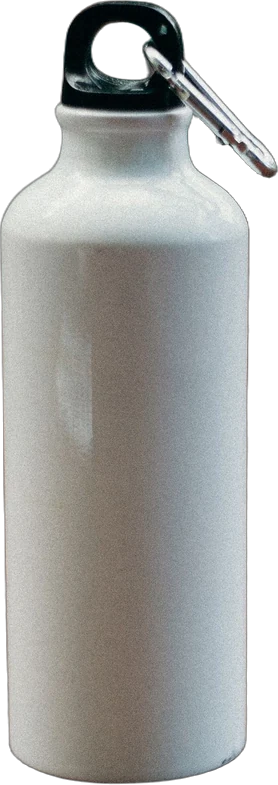
- Images: six. The bottle on white, the lid open, the straw, the bottle in a cup holder, a hand holding it for scale, and a dimensions chart.
The new title drops the capitals, the repeats, the stock level and the list of sizes. It still has the words a shopper types: insulated, water bottle, gym, travel, 32 oz and leakproof.
Quick checklist
- Title 25 to 200 characters: brand, use, product type and features.
- No repeated words, variants, stock levels or promotional claims in the title.
- At least five square images, 600 x 600 pixels or larger, each a different view.
- First image a clear front view, no text, logos or borders.
- The right category, and the brand exactly as authorized, or "No brand".
- Every attribute that applies filled in.
- Product Optimizer checked for Poor and Fair listings.
Optimize TikTok Shop listings with YelloShelf
If the same products are on Amazon or Shopify, our guide to selling on several platforms covers how to adapt one master listing.
YelloShelf drafts a product title and description from your photo, researched from what's already selling, with a suggested price. It also makes social posts with captions and hashtags for Instagram, TikTok, Pinterest, Facebook and X, so your product videos and the listing say the same thing. YelloShelf doesn't publish to TikTok Shop. You check the draft and add it in Seller Center yourself.
No subscription or free trial. Pay as you go credit packs from $10, with a 7-day money-back guarantee on your first purchase.
Made by the team behind YelloShelf
Start your TikTok Shop listing from a draft
Upload a product photo and get a title, a description and listing images to start from, plus social posts for the same product. You check it and add it to Seller Center yourself.
- Pay as you go credit packs from $10
- No subscription
- 7-day money-back guarantee on your first purchase
FAQ
How long can a TikTok Shop product title be?
TikTok Shop's US guide to adding products says titles should be 25 to 200 characters. Its listing quality guide gives 255 as the maximum, so staying between 25 and 200 meets both.
How many images does a TikTok Shop listing need?
TikTok Shop recommends at least five, and you can upload up to nine. They should be square, at least 600 x 600 pixels, and show the product from different angles.
Why is my TikTok Shop listing stuck at Fair?
Fair means the listing meets the basic standards. To reach Good, TikTok looks for detailed descriptions with category-specific information, high-resolution images and accurate category-specific attributes. Check Product Optimizer in Seller Center to see what it suggests for that listing.
Can I put "free shipping" or "best seller" in my TikTok Shop title?
No. TikTok's listing quality guide puts titles with clickbait language, such as promotions, best seller claims and discounts, in the Poor tier.
What should the main TikTok Shop image look like?
A clear front view of the whole product. TikTok recommends a white background, and the main image shouldn't have text, logos, watermarks, borders or graphics covering the product.