How to cross list on multiple platforms without rewriting every listing
Cross listing means selling the same item on several sites, and one copy pasted everywhere breaks somewhere. Here's how to write one master fact sheet, adapt it to each site, post it and keep stock in step.
Ashish · 9 min read
You've got a product selling well on your Shopify store, and you want it on Amazon, Etsy and eBay too. So you copy the title and description, paste them into the first marketplace, and it's rejected for being too long. You trim it. The next site wants tags. The one after wants a different kind of description. By the third platform you're writing it from scratch again.
The problem isn't you. Each platform has its own limits and its own idea of a good listing. If you're working out how to cross list on multiple platforms, the fix is to stop treating any one listing as the original. Write a master fact sheet once, then build each platform's version from it.
Cross listing works when every site gets the same facts in its own shape, not the same text.
Why one copy doesn't fit everywhere
Here's how the title rules alone differ, from each platform's own help pages (covered in more detail in our platform guides):
| Platform | Title rule | Where it's from |
|---|---|---|
| Amazon | 75 characters or fewer in most categories, with extra detail in Item Highlights | Amazon title requirements |
| Etsy | Up to 140 characters, but Etsy recommends short, readable titles | Etsy help: titles |
| eBay | 80 characters | eBay UK Seller Centre |
| Shopify | Product title for your store, plus a separate page title for Google (up to 70 characters, 60 or fewer recommended) | Shopify help: adding keywords |
| Walmart | 150 characters or fewer | Walmart product detail page policy |
And it's not just titles. Amazon wants bullet points. Etsy wants 13 tags. Walmart wants a description written as one paragraph with no lists. Shopify depends on Google, so the meta description matters there and nowhere else. A single block of text can't meet all of those at once.
Step 1: write a master fact sheet
Before you write a single title, put every fact about the product in one place. A spreadsheet works, with one row per product:
- Product name and brand
- What it is, in the words a shopper would search
- Key details: size, weight, count, colours, materials, compatibility
- Who it's for and what it's used for
- Three to six benefits, each one sentence, each backed by a fact
- What's in the box
- Care, safety and warranty notes
- Main keywords you've researched, ranked from most to least important
- Claims you can't make, like certifications you don't hold
This is the slow part, but you only do it once. A YelloShelf draft from your product photo can be a starting point, which you then correct with the real measurements. Every platform version below is just a rearrangement of these facts. When something changes, like a new colour or a price, you update the fact sheet and then each listing.
If you haven't done keyword research yet, our guides for Amazon keywords and Etsy tags and keywords cover free methods. The words people search for on Etsy are often different from Amazon, so it's worth checking both.
Step 2: build each title from the same parts
Keep the same core (brand, product type, the most important detail), then add or drop details to fit each limit:
- Amazon: the shortest. Brand, product type and the one or two details that matter most, within 75 characters. Everything else goes into Item Highlights. See our guide to the 75-character title.
- eBay: 80 characters, so you can usually fit brand, type and three or four specifics like size, colour and model. Don't add words like "L@@K" or brand names you aren't selling. See our eBay title guide.
- Etsy: start with what the item is in plain words, then a few key details, and keep it readable. The extra search phrases go in your 13 tags, not the title. See our Etsy title examples.
- Shopify: the product title can be the friendliest version, because it's what shoppers see on your store. Write a separate page title for Google. See our Shopify product SEO guide.
Step 3: shape the description for each site
From the same facts:
- Amazon: turn your benefits into bullet points, most important first, and keep the product description for detail. Our bullet point guide shows how.
- Etsy: start with a short paragraph about the item and who it's for, then the details shoppers ask about: size, materials, care, personalization and processing time.
- eBay: item specifics do a lot of the work. Fill them in fully, then use a short description for condition and anything specifics can't cover.
- Shopify: write for a person who arrived from Google with a question, and add a meta description.
- Walmart and TikTok Shop have their own rules, covered in our Walmart and TikTok Shop guides.
Rewriting the order and length also avoids posting the same block of text everywhere, which reads as lazy to a shopper who sees it twice. This step is where YelloShelf saves the most typing, since it drafts titles, descriptions, bullets and tags you can reshape per site.
Step 4: check the rules each site adds
A few things catch sellers who cross-list:
- Etsy only allows certain items. Every listing has to meet Etsy's Creativity Standards: made by you, designed by you, handpicked by you (like vintage items 20 or more years old) or sourced by you (like craft supplies) (Etsy Creativity Standards). A product you resell wholesale may be fine on Amazon or eBay and not allowed on Etsy.
- Images differ. Amazon and Walmart want a white background on the main image. Etsy doesn't require one and lifestyle photos often do better there. Keep a white-background set and a lifestyle set.
- Brands and claims. If you aren't the brand owner on Amazon, or don't have approval for a claim on Walmart, the fact sheet should say so, so it doesn't slip into one version by accident.
- Stock. If you only have one of something, like a vintage piece, selling it on two sites at once is a real risk. Update stock quickly, or use a tool that syncs it.
Cross listing secondhand items
Resellers often cross list between eBay, Vinted, Depop and Poshmark. The same fact sheet idea works, with a few differences:
- Measurements and flaws matter more than benefits. Vinted and Depop both ask for measurements and honest condition notes.
- Each site has its own shape. Depop has no separate title field, so your first line does that job. Vinted has a title and a description. Our guides to Vinted description examples and the Depop description template cover each one.
- Mark it sold everywhere the moment it sells on one site. With one-off items there's no second unit to fall back on.
Tools that can help
You don't have to copy and paste every listing by hand:
- Shopify apps. Shopify lets you connect some marketplaces to your store through apps in the Shopify App Store, so you can manage those products from the Shopify admin. Check which marketplaces are supported for your country.
- Marketplace bulk upload. Amazon, eBay, Walmart and TikTok Shop all offer some form of bulk upload from a spreadsheet, which works well if your fact sheet is already a spreadsheet.
- Cross-listing apps. Third-party tools like Vendoo, List Perfectly and Crosslist copy listings between marketplaces, and are popular with resellers. Check their sites for which marketplaces they support and their pricing pages for costs.
Most of these copy the same text from one place to another. They save the posting work, but you still need each title and description to fit the platform it's going to.
A worked example
This is a made-up product to show the process. "Fernbrook" isn't a real brand.
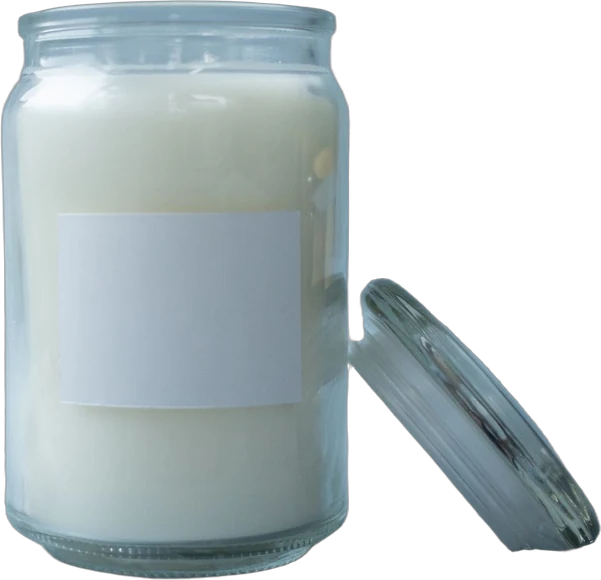
Fact sheet: Fernbrook soy candle, 8 oz, cedar and sage scent, amber glass jar, cotton wick, about 45 hours burn time from the maker's testing, hand-poured in small batches, gift for housewarming.
| Platform | Title | Length |
|---|---|---|
| Amazon | Fernbrook Soy Candle, Cedar and Sage, 8 oz Amber Jar | 52 |
| eBay | Fernbrook Soy Candle Cedar and Sage 8 oz Amber Glass Jar Cotton Wick 45 Hour | 76 |
| Etsy | Cedar and Sage Soy Candle, Hand-Poured 8 oz Amber Jar Candle | 60 |
| Shopify page title | Cedar and Sage Soy Candle, 8 oz - Fernbrook | 43 |
Etsy tags then pick up the phrases the title doesn't carry, like "housewarming gift", "woodsy candle" and "small batch candle". On Amazon, the burn time and cotton wick go into Item Highlights and bullets. On Shopify, the meta description talks about the scent and the gift angle for people searching on Google.
Same facts, four listings, and none of them written from a blank page. You could also start from a YelloShelf draft and trim it to each limit.
Quick checklist
- One fact sheet per product with every detail, keyword and claim limit.
- Titles built from the same core, trimmed to each limit.
- Descriptions reshaped for each site: bullets, paragraphs, specifics or SEO.
- Etsy listings checked against the Creativity Standards.
- A white-background image set and a lifestyle set.
- Stock synced, especially for one-off items.
- Fact sheet updated first whenever something changes.
Cross listing with YelloShelf
To be clear about what it does: YelloShelf doesn't cross list or publish anything, and it doesn't connect to your stores or sync stock. For posting and stock, use the marketplace tools or cross-listing apps above.
What YelloShelf does is the writing and images. From your product photo, it drafts titles, descriptions, bullets and 13 Etsy tags, researched from what's already selling, with a suggested price. It makes listing images sized per marketplace, and social posts with captions and hashtags for Instagram, TikTok, Pinterest, Facebook and X. For your own site, it writes the Google search title and description for the product page. You read each draft, adjust it to the platform's rules, and paste it into each store yourself.
No subscription or free trial. Pay as you go credit packs from $10, with a 7-day money-back guarantee on your first purchase.
Made by the team behind YelloShelf
Draft each platform's listing from one photo
Upload a product photo and get titles, descriptions, bullets and 13 Etsy tags to adapt for each store, plus listing images sized per marketplace. You paste them into each store yourself.
- Pay as you go credit packs from $10
- No subscription
- 7-day money-back guarantee on your first purchase
FAQ
Can I use the same product description on Amazon, Etsy, eBay and Shopify?
You can start from the same facts, but a single copy rarely fits. Title limits range from 75 characters on Amazon to 150 on Walmart, and each site expects a different shape, like bullets on Amazon and tags on Etsy. Adapting each one usually works better.
What's the easiest way to list on multiple platforms?
Write one master fact sheet per product, then build each platform's title and description from it. For the posting itself, use Shopify's marketplace apps, each marketplace's bulk upload, or a cross-listing app.
Can I sell anything on Etsy that I sell on Amazon?
No. Etsy listings must meet its Creativity Standards: made, designed, handpicked or sourced by you. Products you buy wholesale and resell as-is are often allowed on Amazon or eBay but not on Etsy.
How do I avoid selling the same item twice?
Keep stock updated on every platform as soon as something sells, or use a tool that syncs inventory. It matters most for one-off items like vintage or handmade pieces.
Do cross-listing apps write the listings for me?
Mostly they copy listings between marketplaces, which saves posting time. Check each app's site for its features and pricing page for costs. You still need each title and description to fit the rules of the platform it's going to.