Best lighting for clothing photos at home
Most clothing photos go wrong because of the light, not the camera. Here's how to use a window, what to switch off, what to buy if you list at night, and how to get black, white and red right.
Ashish · 6 min read
The jumper is a soft oatmeal colour. In your photo it's a yellowy beige. The black dress has turned into a flat dark shape with no detail. The red top looks orange. Nothing's wrong with your phone. It's the light.
When the colour in a photo is off, the buyer receives a different shade from the one they paid for, and that's how "not as described" returns start. Getting the light right fixes most of it, and you don't need to spend much. This guide covers the free setup, what to buy if you list in the evening, and how to handle the colours that cause the most trouble.
The best light is free: a window
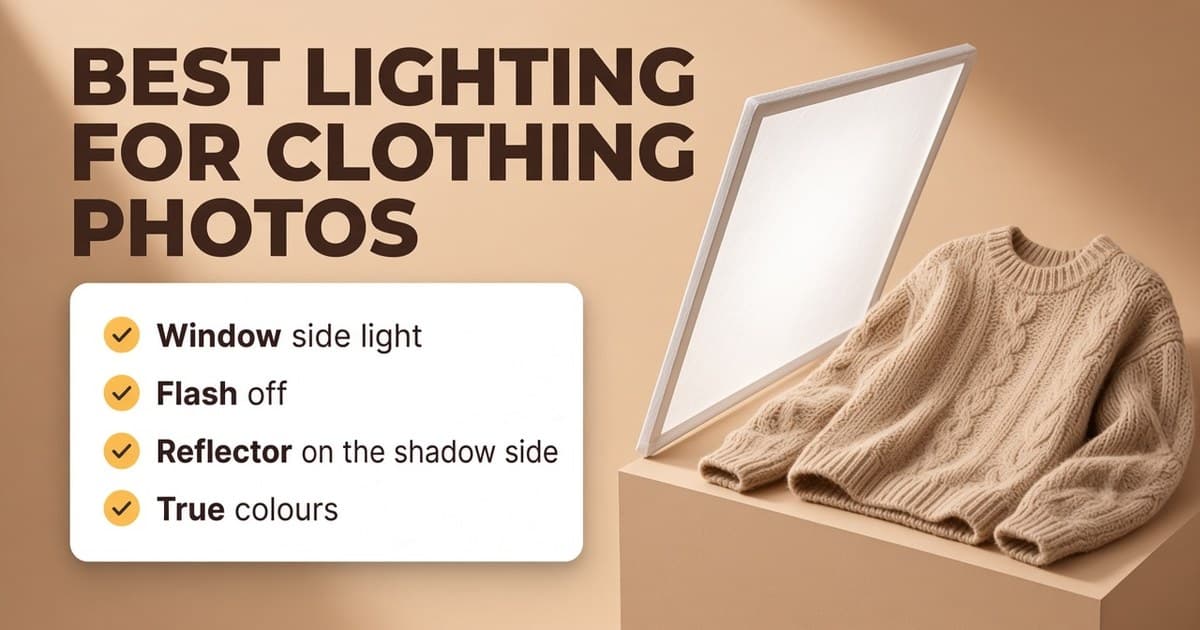
Daylight from a window is the easiest way to get true colours. Vinted's photo advice says to choose photos taken in natural daylight over lamplight, and not to use flash or filters (Vinted help: what photos to upload). Poshmark's photography guide says the same: open the curtains and set up near a window (Poshmark photography guide).
To get the most from it:
- Put the item beside the window, so the light comes from the side. Side light shows the texture of the fabric. Light from behind the item makes it dark. Light from behind you is flat.
- Avoid direct sun. Harsh sun makes hard shadows and bright patches. An overcast day is ideal. On a sunny day, move back from the window or hang a white sheet, net curtain or baking paper over it.
- Shoot at the same time of day if you can, so your photos match each other.
- Turn off every other light. This is the step most people miss. A ceiling bulb adds a warm yellow tint, and when it mixes with daylight the phone can't get the colour right.
- Turn off the flash. It flattens the fabric and makes shiny patches.
Fill the shadows with a reflector
With the window on one side, the other side of the item will be darker. Put something white on the shadow side to bounce light back: a sheet of white foam board, poster board, a white towel over a chair. Move it closer for more fill and further away for less. It's the cheapest upgrade there is.
Listing in the evening? Buy the right light
If you only have time to list after dark, you need your own light. Some simple rules:
- One or two soft lights are better than lots of small ones. A softbox or an LED panel with a diffuser gives soft, even light, like a window.
- Pick daylight-coloured bulbs and make sure all your lights are the same colour. Mixed colours give you mixed tints.
- Put the light to the side, like a window, with a reflector on the other side.
- Ring lights are popular and work for close-ups of labels and details. On shiny fabrics and hardware they can leave a ring-shaped reflection, so check your close-ups.
Whatever you use, switch off the ceiling light.
Check the colour before you upload
Your phone guesses the colour of the light, and it doesn't always guess right. Before you upload:
- 1Hold the item next to your screen by the window and compare. Does the photo match the real thing?
- 2If not, use your phone's built-in editor to adjust the warmth (cooler if it's yellow, warmer if it's blue) until it matches.
- 3Keep the edit small. You're correcting the photo back to the real colour, not making it prettier.
If the colour is hard to capture, say so in the description, for example "true colour is closest to photo 3".
Tricky colours
Black. Black clothes lose all their detail under flat light. Use side light so the texture shows. Lint roll it first, because black shows every bit of fluff. If the photo comes out as a black shape, raise the brightness a little, but stop before the black turns grey.
White and cream. The opposite problem: too bright and the details vanish. Tap on the item to focus and lower the brightness slightly. A white item on a white wall can disappear, so use a light grey or wooden background instead.
Red, orange and bright colours. Phones often push these too strong or shift them. Compare closely with the real item and adjust only if needed.
Denim and navy. Warm household bulbs can make blue fabrics look dull or greenish, which is another reason to stick to daylight.
A worked example
This is a made-up example. "Ashby & Co" isn't a real brand.
A seller is listing an Ashby & Co oatmeal cable-knit jumper on eBay in the evening.
First try: ceiling light on, flash on. The jumper looks yellow and the cables are flat with a shiny patch in the middle.
Second try: the next morning, by the bedroom window, ceiling light off, a white towel over a chair as a reflector. The cables show clearly. The colour still looks slightly warm compared with the real jumper, so the warmth is turned down a little in the phone's editor until they match. A small pulled thread on the cuff gets its own close-up.
For the rest of the setup, see our guide to photographing clothes to sell.
Quick checklist
- Shoot beside a window, light from the side.
- No direct sun: overcast day, or diffuse it with a sheet.
- Ceiling lights off, flash off.
- A white board or towel on the shadow side.
- In the evening, daylight-coloured soft lights, all the same colour.
- Compare the photo with the real item before uploading.
- Extra care with black, white, red and denim.
Fix lighting in clothing photos with YelloShelf Product Studio
Not everyone has a good window or time in daylight. YelloShelf's Product Studio has a Light tool that fixes the lighting in clothing photos so colours look true, and the fabric keeps its real shade, so buyers get what they see. It doesn't change the print, logo, shape or size, and it doesn't hide stains, holes, fading or pilling. That's on purpose: a photo that shows the real condition protects you from returns. You drag a slider to compare every edit with your original, and you can upload up to 20 photos at a time.
Light is 5 credits a photo, which is $0.05 a photo on the $10 pack. If the same photos need creases or fluff removed, Steam and Clean up are 55 credits each and work on their own, so you only pay for what each photo needs. You choose which photos to keep and upload them yourself. On Vinted, note that its Catalog Rules say photos must show the item as it is with no image editing (Vinted Catalog Rules), so get the light right when you shoot.
No subscription or free trial. Pay as you go credit packs from $10, with a 7-day money-back guarantee on your first purchase.
Made by the team behind YelloShelf
Fix the light in photos you've already taken
Upload up to 20 clothing photos and turn on Light so colours look true. You compare every edit with your original before you download it.
- Pay as you go credit packs from $10
- No subscription
- 7-day money-back guarantee on your first purchase
FAQ
What is the best lighting for clothing photos?
Soft daylight from a window, coming from the side, with the room lights and flash turned off. An overcast day is ideal. Put a white board or towel on the other side to soften the shadows.
What is the best lighting for eBay clothing photos?
The same as anywhere else: soft side light from a window, or daylight-coloured soft lights in the evening. eBay asks for photos that accurately represent the item, so true colour matters more than a bright, punchy photo.
Are ring lights good for clothing photos?
They're handy for close-ups of labels and details and for evening shoots. On shiny fabrics and hardware they can leave a ring-shaped reflection, and a single ring light in front of the item gives flat light. A soft light from the side usually shows fabric better.
Why do my clothes look yellow in photos?
Usually because of a household bulb, which gives off warm light, often mixed with daylight. Turn off the room lights, shoot by a window, and if needed, lower the warmth in your phone's editor until the photo matches the real item.
How do I photograph black clothes?
Lint roll them first, use side light so the texture shows, and raise the brightness only slightly if the item looks like a flat black shape. Stop before the black starts to look grey.